
Coding Agent Tool Profiles
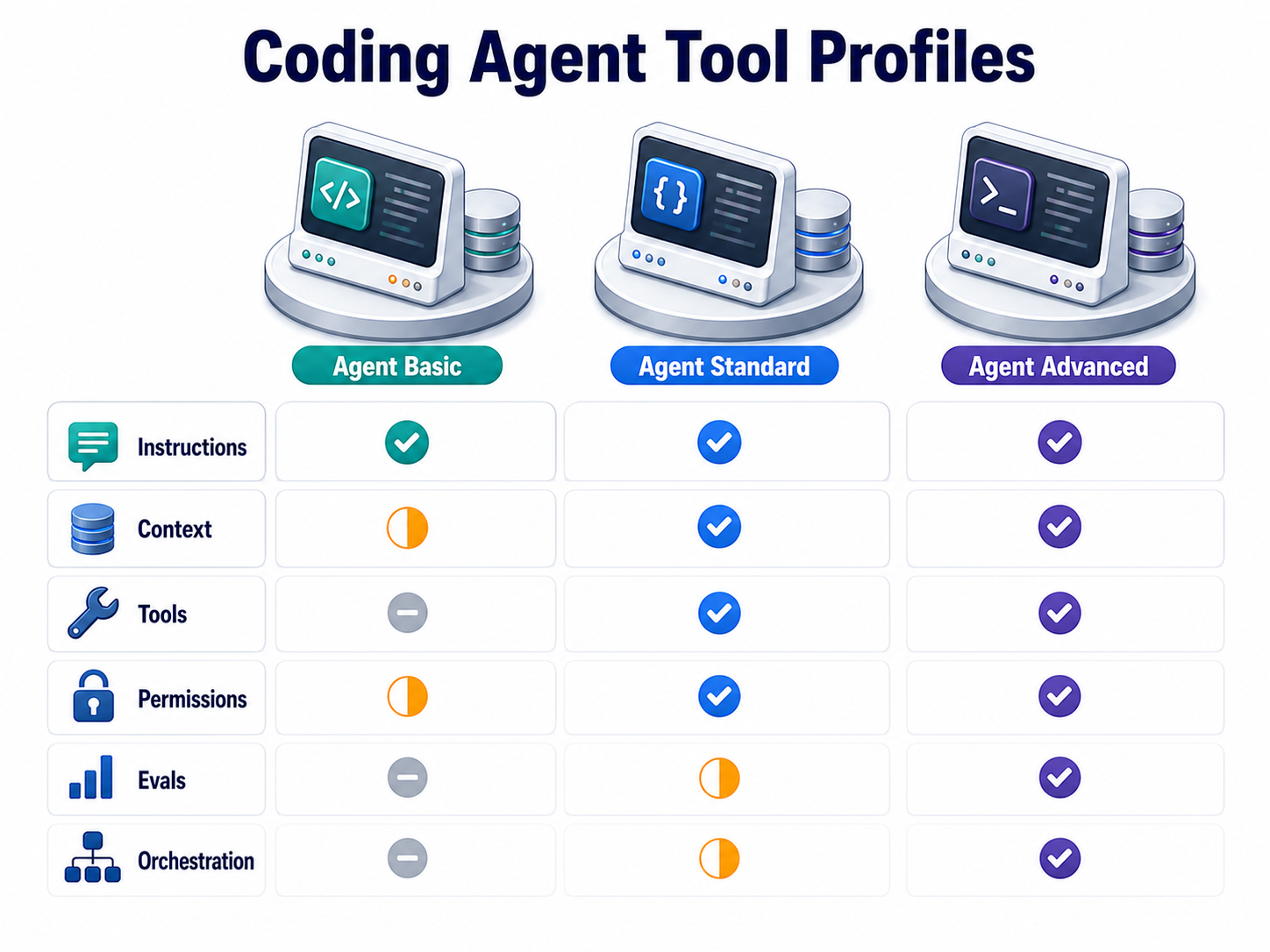
Shared Principles
Section titled “Shared Principles”The durable skill is not memorising one product interface. It is learning how to shape any coding agent into a controlled engineering worker.
| Principle | What to define | Evidence that it works |
|---|---|---|
| Persistent project instructions | Repository guidance such as AGENTS.md, CLAUDE.md, GEMINI.md, DESIGN.md, architecture rules and coding standards. |
The agent follows local conventions without repeated prompting. |
| Context boundaries | Which files, folders, tickets, design documents and logs the agent should inspect before acting. | The agent cites or uses the right local evidence and avoids irrelevant churn. |
| Tool and permission policy | Which tools may read, edit, run commands, access the network or call external systems. | Risky actions require approval; secrets and destructive operations stay controlled. |
| Reusable workflows | Skills, commands, rules, prompts, hooks or documented playbooks for repeated work. | Reviews, migrations, releases and debugging tasks follow a repeatable path. |
| Evals and verification | Tests, checks, static analysis, manual review criteria and task-specific acceptance evidence. | Completion is supported by command output, screenshots, diffs or evaluation records. |
| Multi-agent use | Clear decisions about when to split exploration, implementation, review or research across agents. | Parallel work reduces elapsed time without causing conflicting edits or unverifiable summaries. |
| Orchestration and handoff | A lead agent or human assigns work, collects results, resolves conflicts and decides when to stop. | Handoffs include scope, files touched, unresolved risks and verification status. |
Codex is strongest when the repository is explicit about how work should be performed and what evidence must be produced.
| Principle | Codex implementation |
|---|---|
| Persistent project instructions | Codex reads layered AGENTS.md files before work starts. Global guidance can live in the Codex home directory, repository guidance can live at the project root, and nested guidance can override broader rules for specialised folders. Use this for build commands, review rules, design-system constraints, security boundaries and repository norms. |
| Context boundaries | Codex works from the current workspace, loaded instruction chain, user prompt and connected tools. Keep task briefs concrete: name the target files, expected behaviour, constraints, and verification commands. Use DESIGN.md as a project artifact when UI or content design decisions must guide implementation. |
| Tool and permission policy | Codex exposes controlled tools such as file search, file editing, shell commands, MCP connectors and browser/site tools depending on the environment. Treat approval policy, sandboxing, network access and secrets as part of the task design, not as afterthoughts. |
| Reusable workflows | Codex supports skills: reusable SKILL.md workflows with optional references, scripts and assets. Use skills for repeated procedures such as PR review, release checks, document conversion, Figma handoff or site deployment. |
| Evals and verification | Codex can run repository checks and can be directed to report the evidence. Pair Codex with CI, local tests, content validators, browser screenshots and agent-output review rubrics. For agent workflows built with OpenAI APIs, use evals to measure task success, safety and regression risk. |
| Multi-agent use | Codex supports subagent workflows for independent work. Use them for exploration, review, test investigation or parallel implementation only when the work can be cleanly separated. Expect higher token cost and require a lead thread to reconcile outputs. |
| Orchestration and handoff | Codex can act as the lead worker in a local repo or as one participant in a broader workflow. Good handoffs include loaded instructions, files changed, commands run, failed attempts, residual risks and whether a human decision is still required. |
Use Codex when you want a repository-aware agent that can work directly in a controlled workspace, follow AGENTS.md, use skills, call local tools and produce verifiable diffs.
Claude Code
Section titled “Claude Code”Claude Code is strongest when project memory, slash-command style workflows, hooks and subagents are deliberately organised.
| Principle | Claude Code implementation |
|---|---|
| Persistent project instructions | Claude Code uses CLAUDE.md as the main project memory file. The official docs position it for coding standards, architecture decisions, preferred libraries and review checklists. User-level and project-level rules can also be used to separate personal preferences from team policy. |
| Context boundaries | Claude Code works from the terminal, the current project, selected files, prompts and connected tools. Use CLAUDE.md and scoped rules to define what the agent should read first, how to interpret DESIGN.md, and which folders or commands are authoritative. |
| Tool and permission policy | Claude Code has CLI flags and settings for allowed and disallowed tools, permission modes and additional directories. Use these controls to separate read-only review, implementation, automation and high-risk operations. |
| Reusable workflows | Claude Code supports skills for shareable repeatable workflows, plus hooks that run shell commands before or after actions. Use hooks for formatting, linting or policy checks where automation should be consistent. |
| Evals and verification | Claude Code can run commands and be scripted through the CLI. Verification should still be externalised into tests, CI, linters, type checks, security scans and review checklists so the result is not only a conversational claim. |
| Multi-agent use | Claude Code supports multiple agents, custom subagents and background agents. Custom subagents are Markdown files with YAML frontmatter, including a name, description, tool list, model and system prompt. Use this for roles such as explorer, reviewer, test investigator or migration planner. |
| Orchestration and handoff | Claude Code can coordinate parallel agents or be controlled through custom workflows. The lead agent or human should merge outputs, resolve edit conflicts and decide whether the result is shippable. |
Use Claude Code when you want a terminal-centred agent with strong memory files, CLI automation, hooks, custom subagents and flexible scripting.
Gemini Code Assist
Section titled “Gemini Code Assist”Google’s current enterprise coding product is Gemini Code Assist Standard and Enterprise. In agent mode, it behaves more like a controlled IDE agent than a fully open-ended local terminal worker.
| Principle | Gemini Code Assist implementation |
|---|---|
| Persistent project instructions | Gemini Code Assist agent mode supports context files named GEMINI.md. These can be scoped globally, to a project, or to a component/subdirectory. Standard chat also supports rules in IDE settings, though Google notes that some rules behaviour differs in agent mode. |
| Context boundaries | Gemini Code Assist uses IDE workspace context, selected files/folders, tool responses and context files. Enterprise code customization can add indexed repository context from private codebases, subject to product setup and limits. |
| Tool and permission policy | Agent mode uses built-in tools such as file read/write, grep, symbol usage and Git depending on IDE support. Mutating file-system or resource actions require permission unless configured otherwise. |
| Reusable workflows | Gemini Code Assist does not expose a Codex-style or Claude-style native “skills” file format in the cited docs. Use GEMINI.md, IDE rules, documented prompts, MCP servers and repository playbooks to approximate reusable workflows. |
| Evals and verification | Treat verification as repository-owned: tests, type checks, CI, review checklists and acceptance criteria. Gemini can help run or interpret work inside the IDE, but durable evaluation should live outside the chat transcript. |
| Multi-agent use | Gemini Code Assist agent mode supports multi-step work and MCP tools. The cited Code Assist docs do not define a first-class custom subagent system comparable to Codex subagents or Claude Code subagents. Use external orchestration or split work manually when multiple agents are needed. |
| Orchestration and handoff | Use Gemini Code Assist as an IDE-resident worker. For larger workflows, keep orchestration in tickets, design docs, CI and human review, then use Gemini for scoped implementation, explanation and repair tasks. |
Use Gemini Code Assist when your team works inside supported IDEs and wants Google-managed code assistance, workspace context, enterprise repository customization and MCP-connected agent mode.
Selection Guidance
Section titled “Selection Guidance”Choose the agent by workflow fit, not by brand.
| Workflow need | Strong fit |
|---|---|
| Repository edits with explicit project instructions, skills and local evidence | Codex |
| Terminal automation, custom subagents, hooks and scriptable workflows | Claude Code |
| IDE-integrated assistance with Google Cloud enterprise controls and indexed repository context | Gemini Code Assist |
| High-risk production change | Any agent only with narrow permissions, human approval and independent verification |
| Broad exploration across many files | Codex or Claude Code with subagents; Gemini Code Assist when the work is naturally IDE-scoped |